Giving an interface to
data centric concepts
Client
Eyeclimate
Role
Product Designer
Location
Remote
Tools
Figma, Miro
Overview
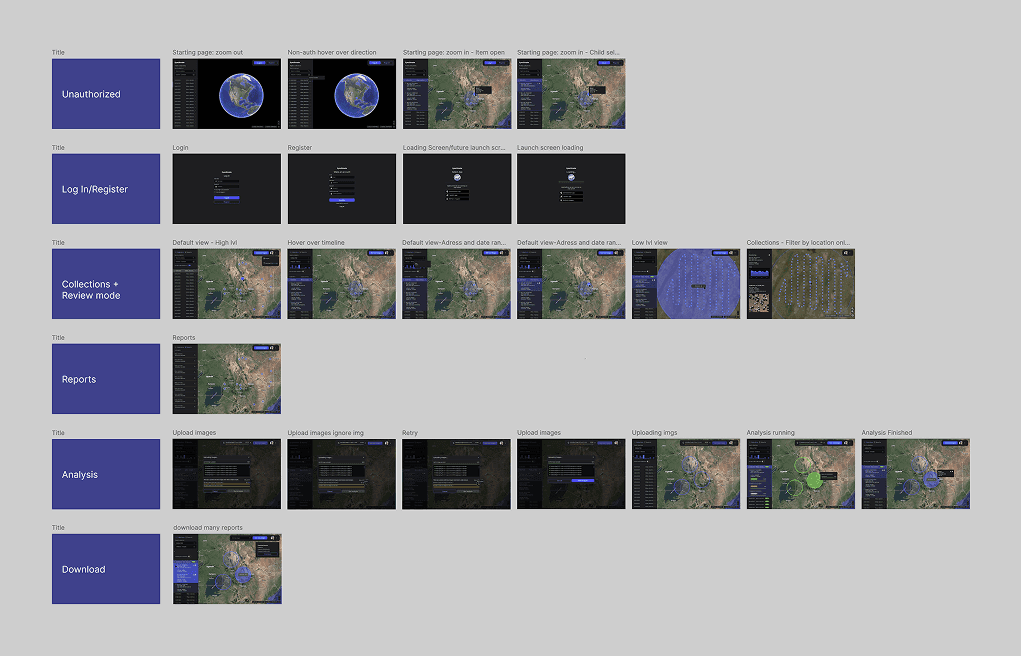
Eyeclimate is a company that merges environmental data (satellite, drone images, calculations, maps) into clear overviews for their users so they can inform themselves and make better decisions. In this particular case we worked a system that measures cattle via drones and images and provides a clear overview of the headcount at times when it's most needed.
Giving life to new data concepts
and make them easy to visualize
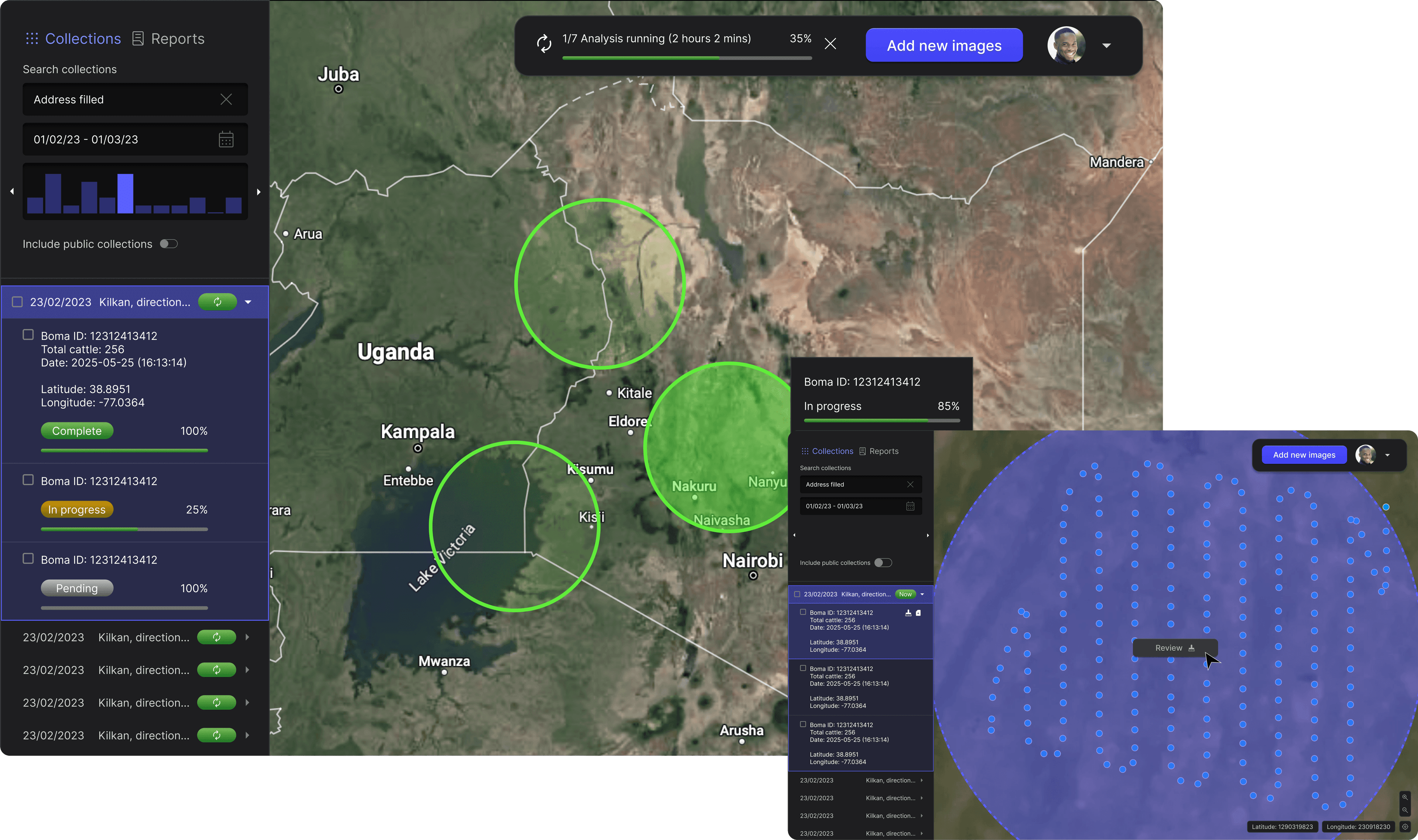
I was tasked to prepare an interface that would allow us to translate new concepts for cattle control into an easy to use interface. The result drove us to develop a way for users to upload and debug their own images as well as take control over "Bomas" which are the circles seen here that represent cattle concentration points.
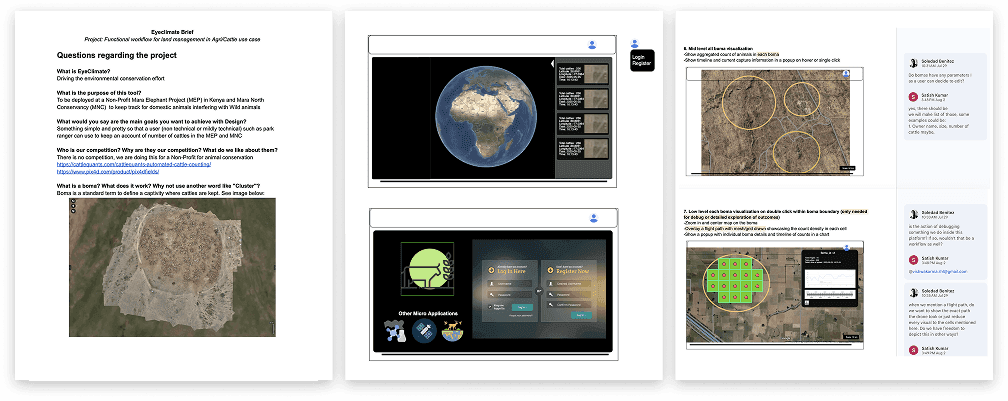
The process
Conclusion
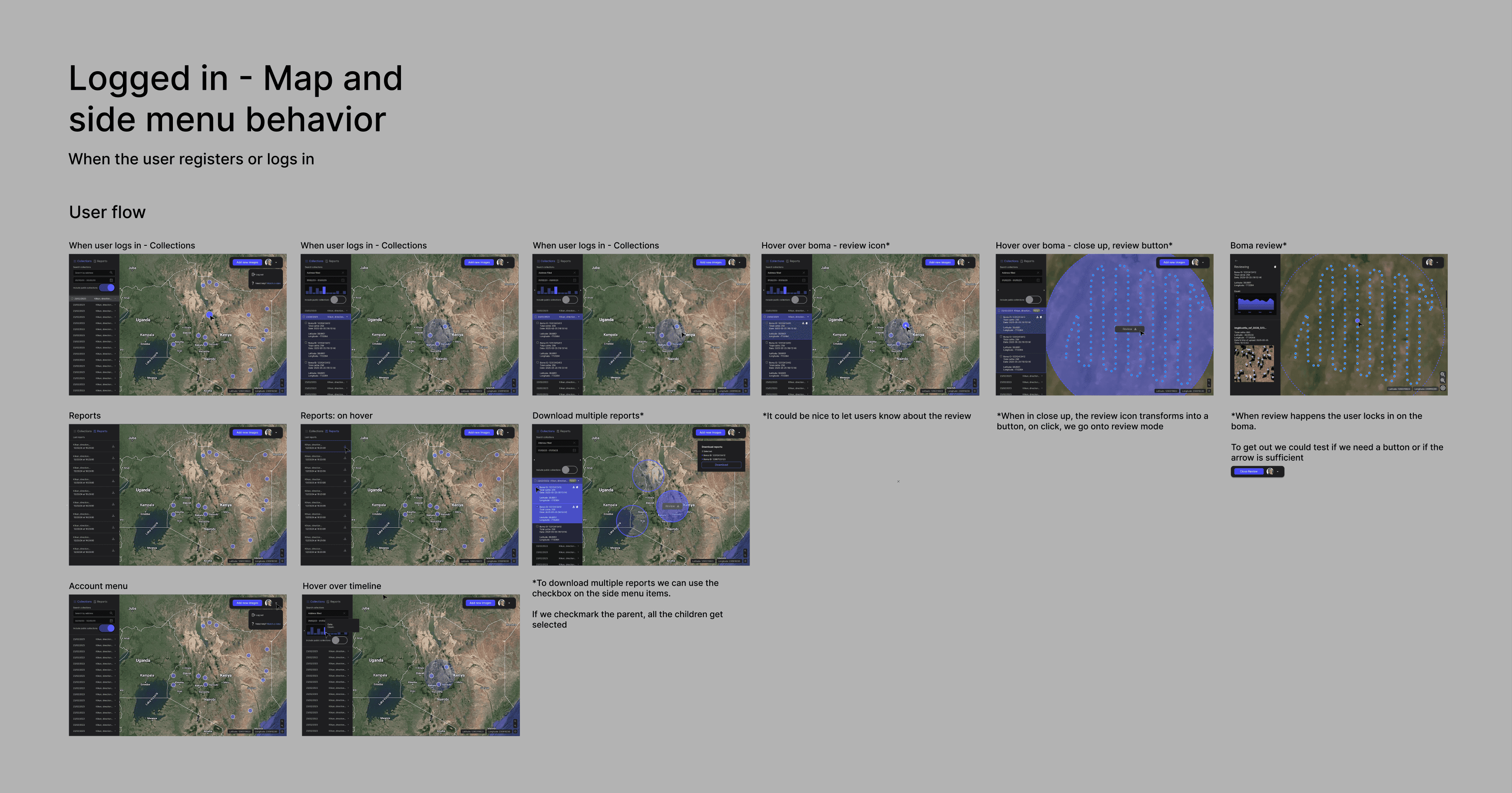
Data tools are heavily visual. And when we design for data and maps, it is very important to be very detailed in the change of states we can display at hand that can communicate to the user; For example, a zoom in of the components on a map looks different than a zoom out, how? We have to design it so we make it easy to the user to understand all the little things that are happening in the map with minimal intervention and a carefully structured UI.